
If you want to have your own website, one of the things you need is a domain. A domain is the name that identifies your website on the Internet, such as bleidertest.com . The domain is important because it gives your website an identity and makes it easier for your visitors to remember and find it.
But how to buy a domain for your website? In this post I am going to explain the steps you must follow to get the domain you want and that adapts to your needs. For this example we are going to use the domain and hosting provider A2 Hosting , the steps will be similar if you choose to work with another company like Namecheap, GoDaddy, etc. that offer you different plans and prices to buy and renew your domain. The purchasing process is usually very simple: you just have to enter your domain name, choose the plan that best suits you, pay with your credit card or PayPal and confirm your purchase.
Choose the domain name and buy it
To begin, you must log in to your A2 Hosting account and select the Domains > Register a new domain option .
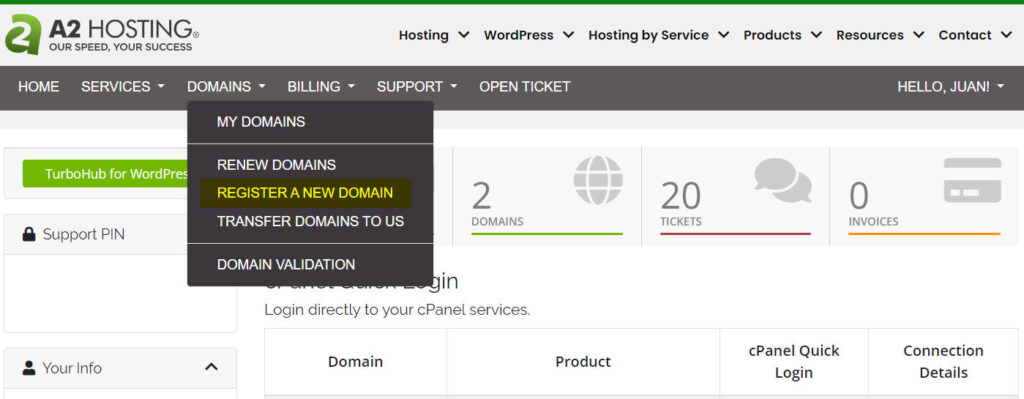
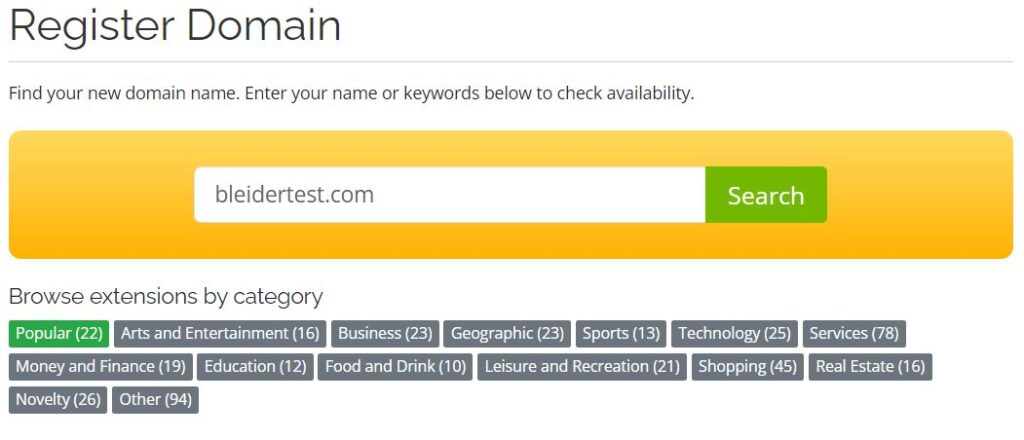
To choose the domain name you can use the built-in search tool that allows you to check the availability of domain names. It is recommended that you choose a domain name that is short, easy to remember, preferably related to the theme of your website, and that does not have special characters or numbers. Once you have chosen your domain name, you must choose the extension or TLD (Top Level Domain). The extension is the final part of the domain name, such as .com , .net , .org , etc. There are many extensions available, and each has its advantages and disadvantages. For example, the .com extension is the most popular and easiest to remember, on the other hand, other extensions may be more expensive and more difficult to obtain. There are more specific extensions, such as .es for Spain, .mx for Mexico, .blog for blogging websites, etc. These extensions can help you position your website better in search engines and convey a more professional image. The normal thing to start with is to choose the .com domain that is suitable for the vast majority of websites, reserving the other extensions for special cases and projects with particular purposes.
Enter your domain name (with extension) and click Search .
The system will respond if your domain is available or not.
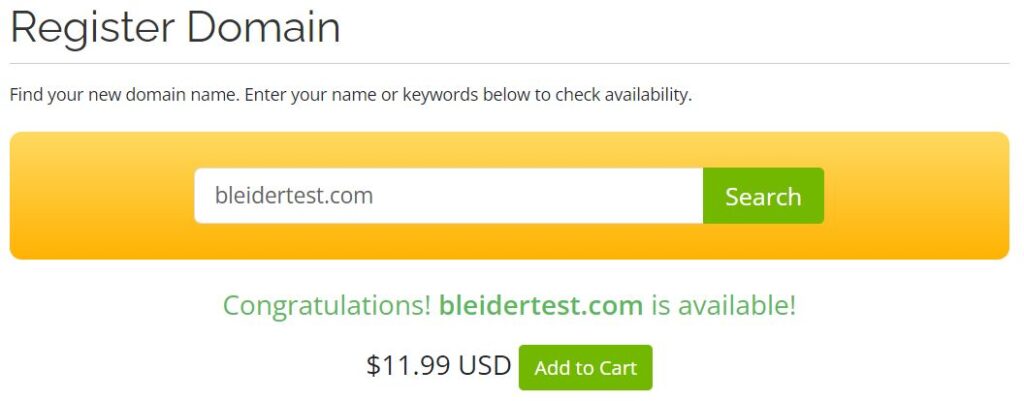
After choosing your domain name and extension, you must purchase it. To do this, you must click on Add to Cart , and then on Checkout in the same window, this will take us to the Domains Configuration page .
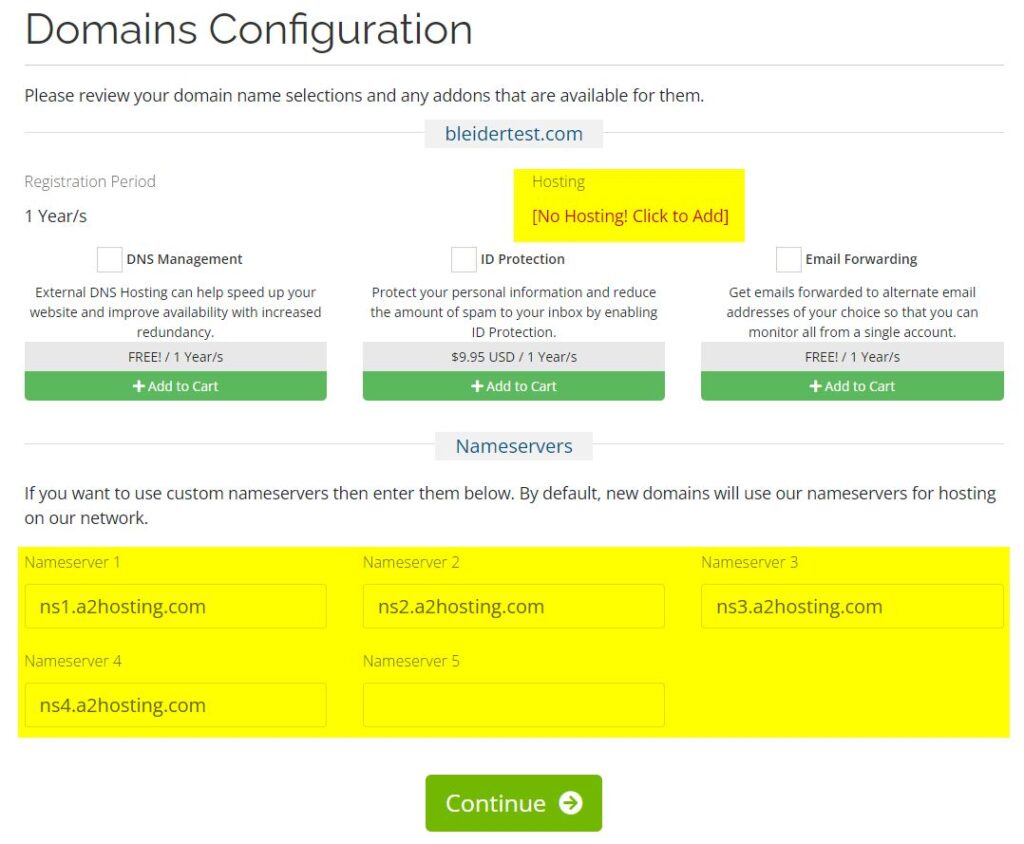
We must note that we are only purchasing the domain (the name of our website that will be valid for 1 year, after that we must renew it annually), which does not include hosting. At the moment it is not necessary to add additional services (addons) to the domain, later as the need arises you will be able to do so. If you don’t have the hosting plan yet, you can leave the nameservers as default and change them later if necessary.
The last step is to review the order summary and make payment. Here we can also see the price of the annual renewal (starting from the second year) of the domain.
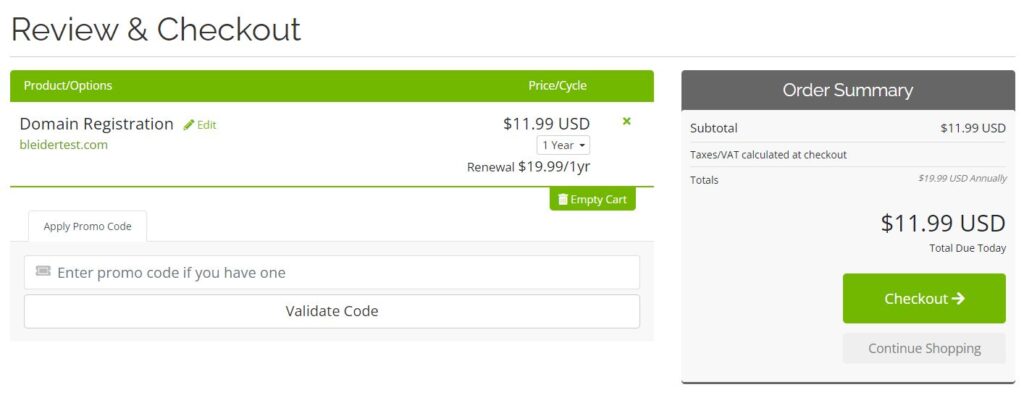
Upon completion you will receive a confirmation email with the details of the purchase.
Link the domain to the website
To link the domain to the website you must have a web hosting service, which is the location where you must install your website. There are many hosting providers available such as Hostinger, Bluehost, A2 Hosting, etc., offering you different plans and prices to host your website. The linking process is usually very easy: you just have to access your domain provider’s control panel, look for the DNS or Nameservers option , and enter the data provided by your hosting provider. Thus, when someone types your domain name in the browser, they will be redirected to your website installed on the hosting.
Create the website installation folder
When you have your hosting plan, it will be time to prepare the main folder where the installation of your website will go. You must enter the CPanel control panel and look for the Domains option .
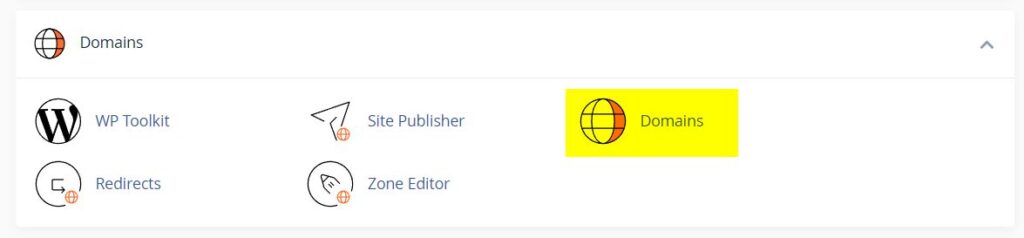
Then go to Create a New Domain .
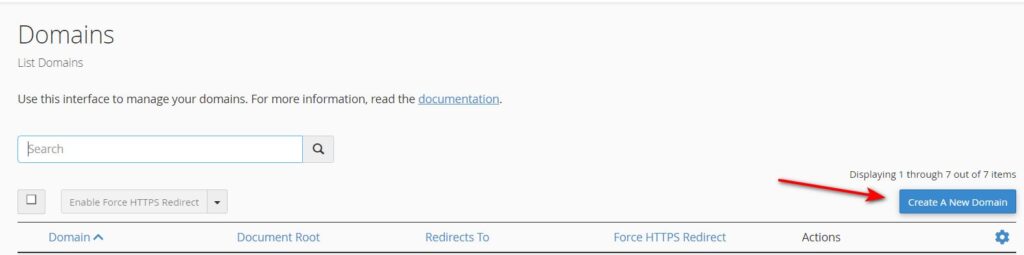
This will open a new window where we must enter the domain and the name of the main folder of our website. Click Submit .
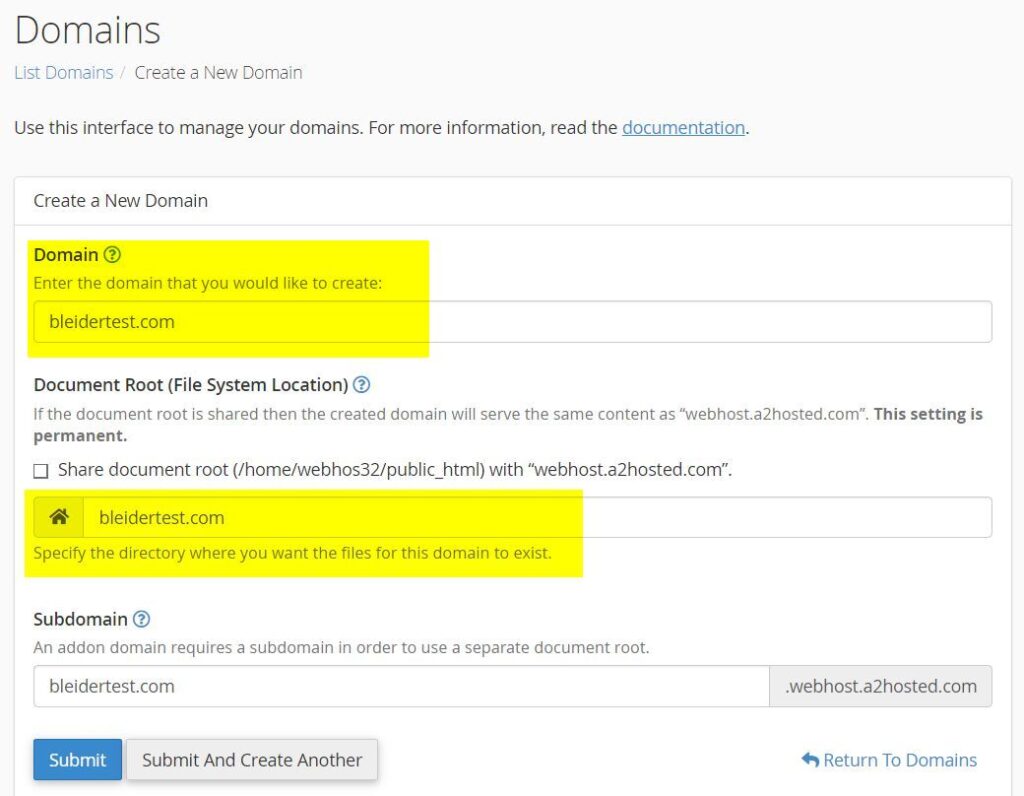
With this, the folder will be created to install and store the files of our website. Now, when we write the name of our domain in the internet browser, the content of the website (blog, ecommerce, web page, etc.) will be displayed.
As you can see, buying a domain for your website is not as difficult as it seems. Just follow these steps and you can have your own website with a unique and personalized name. I hope this post has been useful to you and that you are encouraged to buy your own domain. If you have any questions or comments, you can leave them below. Until next time!